> ## Documentation Index
> Fetch the complete documentation index at: https://docs.keyflow.space/llms.txt
> Use this file to discover all available pages before exploring further.
# API Trigger
> Trigger a workflow by sending API request
In Keyflow, you can remotely trigger your workflows without having to manually open the App. To enable this, we provide API keys that are used to trigger workflows remotely. The same way you access a service remotely using it's API key, you can create an API key for your workflow and trigger it from anywhere.
Triggers are not available for Free Accounts
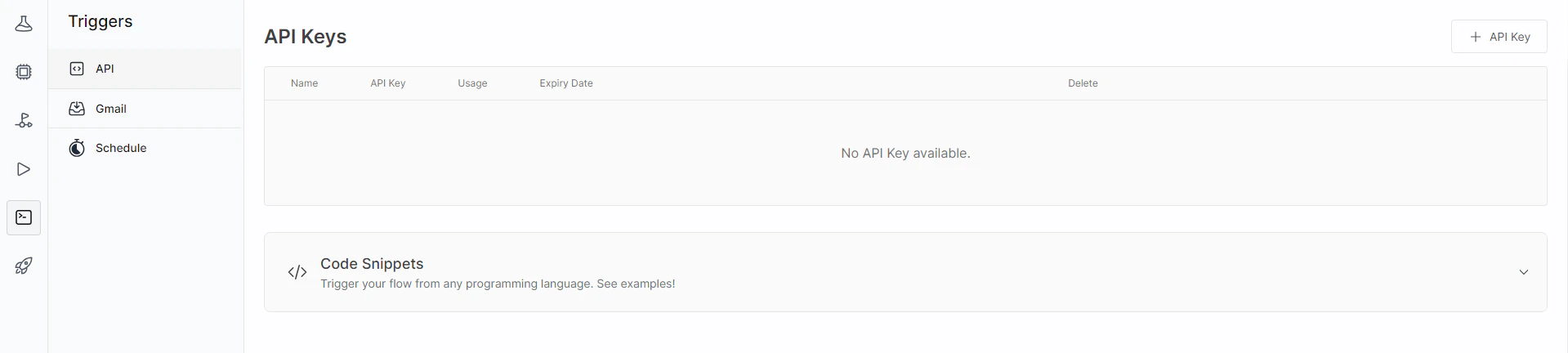
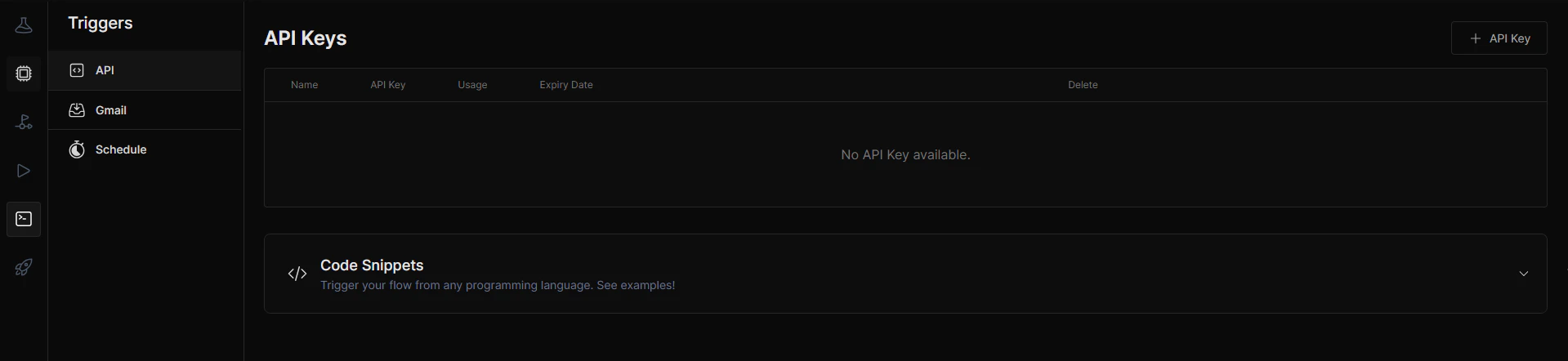
You can create an API key for your workflow and enable the API Trigger. You can find the API Trigger in `Triggers` > `API Trigger`
 ### API Key
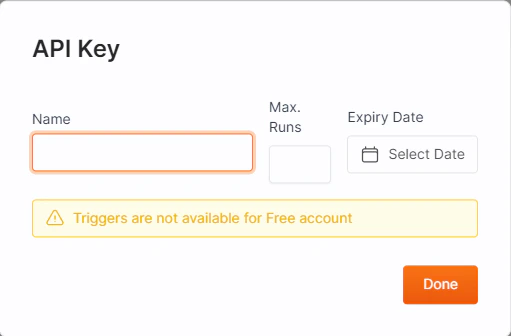
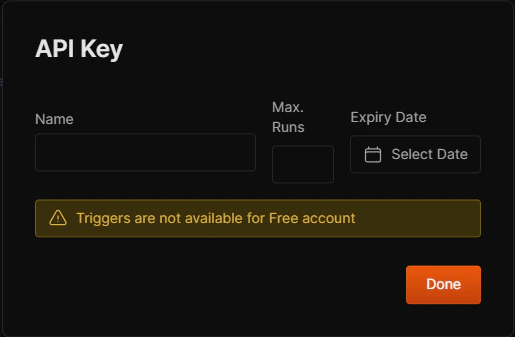
Click on the `+ API Key` to create an API Key for your workflow. It will open a modal where you will enter the details like :
* Name of API key
* Maximum number of runs allowed by the API key
* Expiry Date of the API key.
### API Key
Click on the `+ API Key` to create an API Key for your workflow. It will open a modal where you will enter the details like :
* Name of API key
* Maximum number of runs allowed by the API key
* Expiry Date of the API key.
 You will find the API URL inside the code snippet provided on the API Trigger page. There are examples available to the make the API call in Python, Javascript and cURL.
```python Python theme={null}
import requests
API_URL = "https://keyflow-backend-62hevvkvea-uc.a.run.app/api/trigger"
headers = {
'X-API-Key': '[YOUR API KEY HERE]',
'Content-Type': 'application/json'
}
def query(payload):
response = requests.post(API_URL, headers=headers, json=payload)
return response.json()
output = query({
"inputs": {
"Reference Document": "",
"undefined": "",
"Role Context": ""
}
})
```
```javascript Javscript theme={null}
async function query(data) {
const response = await fetch(
"https://keyflow-backend-62hevvkvea-uc.a.run.app/api/trigger",
{
headers: {
'X-API-Key': '[YOUR API KEY HERE]',
'Content-Type': 'application/json'
},
method: "POST",
body: JSON.stringify(data),
});
const result = await response.json();
return result;
}
query({
"inputs": {
"Reference Document": "",
"undefined": "",
"Role Context": ""
}
})
.then((response) => {
console.log(JSON.stringify(response));
});
});
```
```cURL cURL theme={null}
curl "https://keyflow-backend-62hevvkvea-uc.a.run.app/api/trigger" \
-X POST \
-d '{"inputs":{"Reference Document":"","undefined":"","Role Context":""}}' \
-H "Content-Type: application/json" \
-H "X-API-Key: [YOUR API KEY HERE]"
```
You will find the API URL inside the code snippet provided on the API Trigger page. There are examples available to the make the API call in Python, Javascript and cURL.
```python Python theme={null}
import requests
API_URL = "https://keyflow-backend-62hevvkvea-uc.a.run.app/api/trigger"
headers = {
'X-API-Key': '[YOUR API KEY HERE]',
'Content-Type': 'application/json'
}
def query(payload):
response = requests.post(API_URL, headers=headers, json=payload)
return response.json()
output = query({
"inputs": {
"Reference Document": "",
"undefined": "",
"Role Context": ""
}
})
```
```javascript Javscript theme={null}
async function query(data) {
const response = await fetch(
"https://keyflow-backend-62hevvkvea-uc.a.run.app/api/trigger",
{
headers: {
'X-API-Key': '[YOUR API KEY HERE]',
'Content-Type': 'application/json'
},
method: "POST",
body: JSON.stringify(data),
});
const result = await response.json();
return result;
}
query({
"inputs": {
"Reference Document": "",
"undefined": "",
"Role Context": ""
}
})
.then((response) => {
console.log(JSON.stringify(response));
});
});
```
```cURL cURL theme={null}
curl "https://keyflow-backend-62hevvkvea-uc.a.run.app/api/trigger" \
-X POST \
-d '{"inputs":{"Reference Document":"","undefined":"","Role Context":""}}' \
-H "Content-Type: application/json" \
-H "X-API-Key: [YOUR API KEY HERE]"
```